The Friday Deploy
The plain English newsletter for people who run the business, not the tech stack. No jargon. Every Friday.
How to Avoid a Data Breach Without Hiring a Security Team
Somewhere in your business right now, there’s probably a spreadsheet, it’s got names and email addresses in it, maybe a few thousand rows. Someone in marketing built it for a campaign, or exported it from a signup form, or pulled it together for an event. It lives in Google Drive, shared with “anyone with the link,” because that was the fastest way to get three people working on it at once in the middle of a call with an external team. Nobody set it up that way to be careless. It just happened the way these things do, and then the call ended and the sheet stayed exactly where it was.
That spreadsheet is a data breach waiting to be discovered. Not by a hacker, necessarily. By anyone who happens to have the link, or guesses the URL structure, or finds it indexed somewhere it shouldn’t be. It’s the single most common vulnerability I’ve seen in years of doing this work, and it has nothing to do with firewalls or intrusion detection. It’s a permissions setting nobody thought to check.
You don’t need a security team to fix this. You need to know where to look and what actually matters.
The pattern behind the problem
This isn’t about Google Sheets. It’s about anything that holds customer data but doesn’t feel like “the system.” Your website has passwords, your database has backups, your Rails app has an admin panel, and someone, somewhere, is thinking about the security of all of it. But the export sitting in OneDrive, the CSV in Downloads, the customer list in a shared Notion page, the spreadsheet that got emailed as an attachment and now lives in four different inboxes? Nobody’s thinking about that. It doesn’t look like infrastructure, so nobody treats it like infrastructure.
The same pattern shows up with credentials. A contractor needs access to something urgently, so someone pastes the password straight into an email or a Slack message to save time. It works, everyone moves on, and the password sits there in plain text indefinitely, readable by anyone who ever gets into that inbox or that Slack workspace, long after the contractor’s finished the job. We’ve written about this in The Password Is Already Broken. It’s the same story as the spreadsheet: a shortcut taken under time pressure, invisible the moment it’s forgotten, sitting open with nobody watching.
That’s the thing to fix first. Not “buy better security software.” Go find what’s sitting open right now.
What actually reduces risk
Access control that gets reviewed, not just set once. Who has admin rights to your CMS, your Drive, your customer database? When did someone last check whether that list still makes sense? People change roles and leave companies, and their access usually outlives their employment by months. Put a date in the calendar, two, four or twelve times a year, whatever makes sense for your business, and actually look.
Turn on the tool that catches the sheet automatically. Both Google Workspace and Microsoft 365 have this built in already, Google’s is called Drive DLP, Microsoft’s is Purview DLP, and either can flag or block a file the moment it’s shared externally or publicly with personal information sitting in it. Most businesses have never turned it on. It usually sits on the higher-tier business or enterprise plans, and someone has to actively set the rules up rather than it running by default, which is exactly why the sheet from the start of this post gets away with sitting open for months. The capability to catch it already exists. Somebody just needs to switch it on.
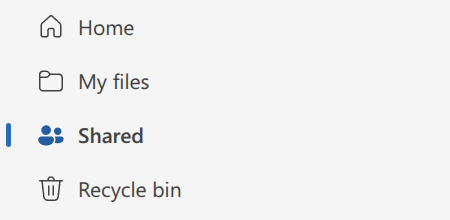
Or just look, without waiting on any of that. You don’t need DLP, an admin console, or an enterprise plan to check this yourself. Both Google Drive and OneDrive let any individual user review everything they’ve personally shared, “Shared by you” and its reverse “Shared with you”, to see exactly what’s public, what’s shared externally, and what should probably be locked down. It takes two minutes and it’s the fastest way to find out if you’ve left anything sitting open.
Patching, even though it’s boring. Most real-world breaches don’t involve anyone cleverly cracking anything. They involve an unpatched plugin, an outdated dependency, a known vulnerability that’s been public for months and simply wasn’t fixed. If you’ve got a developer or agency maintaining your site, ask them plainly: how often do we patch, and when did we last do it? If the answer is vague, that’s your answer. The same is true of SSL certificate renewal. Another boring, easy-to-automate task that quietly takes a site down when it’s neglected.
Vendor and supplier risk. You can lock every door in your own building and still get breached because a supplier left theirs open. Before you hand customer data to a third party, ask what they actually do with it, how long they keep it, and what happens if they’re breached. Most businesses never ask. It’s a fair question and any decent supplier will have an answer ready.
The basics, briefly. Multi-factor authentication on anything that matters, unique passwords rather than reused ones, a password manager instead of a spreadsheet of logins (yes, that spreadsheet exists too, and yes, it’s the same problem as the customer list). Five minutes of setup, massive payoff.
What not to bother with
Not everything marketed as security actually reduces your risk. Elaborate password rotation policies that force changes every 30 days mostly just train people to write passwords on sticky notes. Security questionnaires with fifty tick boxes rarely catch the spreadsheet sitting open in Drive.
The goal isn’t to eliminate risk. It’s to close the doors that are open for no reason, and the files you’re sharing is a good place to start.
Doing this well doesn’t mean you’re safe
You can do everything properly and still have a breach. Determined attackers get through well-run systems, staff make mistakes even with good training, and software has vulnerabilities nobody’s found yet. Reducing risk isn’t the same as eliminating it, and anyone selling you a guarantee of the latter isn’t being straight with you.
Which raises the next question: How Do You Know If You’ve Had a Data Breach?
Read more Decision Guides
Access Control, Cyber Security, Data Breach, Data Loss Prevention, Password Security, Small Business Security
Previous NextThe Friday Deploy
The plain English newsletter for people who run the business, not the tech stack. No jargon. Every Friday.